This post contains affiliate links. If you make a purchase through these links, I may earn a commission at no extra cost to you.
You started a blog to share your ideas with the world, not to spend hours researching which tools you actually need. But here you are, staring at thousands of plugins and wondering which ones are worth installing. We get it.
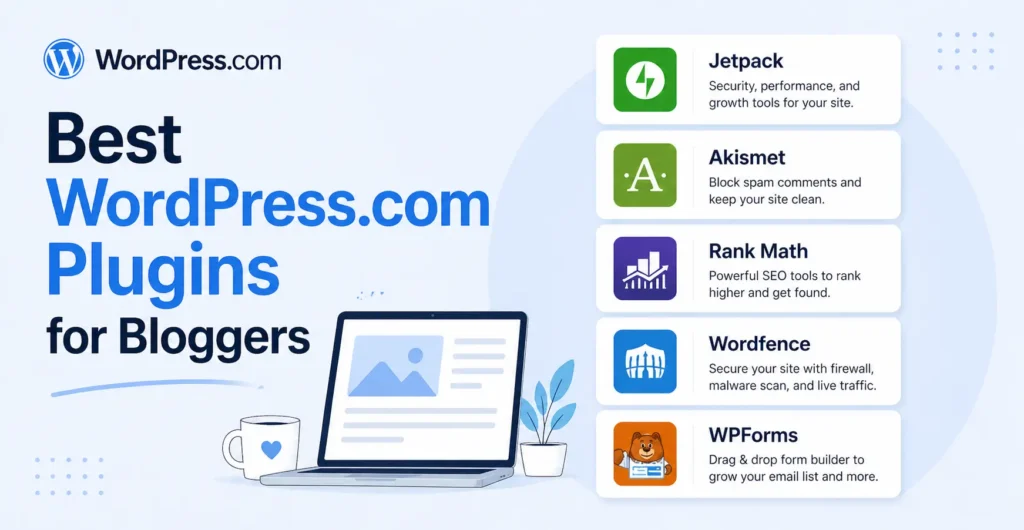
The right plugins can save you hours every week, help more people find your content, and turn your blog into something that actually grows. The wrong ones? They slow your site down and collect digital dust. This guide covers the best WordPress plugins for bloggers in 2026 with all tested, all available on WordPress.com, and all chosen because they solve real problems you’re probably dealing with right now.
Let’s cut straight to it.
Quick Comparison Table
| Plugin | Best For | Category | Free Plan? | Our Rating |
|---|---|---|---|---|
| Jetpack | All-in-one toolkit | Performance / Security | Yes (built-in) | ★★★★★ |
| Akismet | Spam protection | Anti-Spam | Yes (personal) | ★★★★★ |
| WP Super Cache | Site speed | Caching | Yes | ★★★★★ |
| Rank Math | Search engine optimization | SEO | Yes | ★★★★★ |
| Wordfence | Firewall & malware scanning | Security | Yes | ★★★★★ |
| WPForms | Contact forms | Forms | Yes (Lite) | ★★★★½ |
| Site Kit by Google | Analytics & Search Console | Analytics | Yes | ★★★★½ |
| Elementor | Page building | Page Builder | Yes | ★★★★½ |
| UpdraftPlus | Backups & migration | Backups | Yes | ★★★★½ |
| Smush | Image compression | Image Optimization | Yes | ★★★★½ |
1. Jetpack – Best All-in-One Plugin
Here’s the thing about Jetpack, if you’re on WordPress.com, you already have it. But most bloggers only scratch the surface of what it can do.
Jetpack is like a Swiss Army knife for your blog. It handles security, performance, backups, social sharing, downtime monitoring, and more all from one plugin. It’s built by Automattic (the same team behind WordPress.com), so it’s deeply integrated with the platform in a way no third-party plugin can match.
Key Features
- Jetpack Boost — one-click performance optimization (lazy loading, CSS optimization, image CDN)
- Automatic backups (paid) — real-time backups with one-click restore
- Brute force attack protection — blocks malicious login attempts automatically
- Downtime monitoring — get notified the instant your site goes down
- Social media auto-sharing — publish a post and automatically share it to your connected social accounts
- Site stats — built-in analytics dashboard without needing Google Analytics
- Jetpack AI Assistant — AI writing help directly in the editor
Best For
Bloggers who want one plugin to handle security, speed, backups, and social sharing instead of installing five separate tools.
Pricing
- Free: Brute force protection, downtime monitoring, basic stats, social sharing, Boost (basic)
- Jetpack Security: From $9.95/month — adds real-time backups, malware scanning, spam protection
- Jetpack Complete: From $24.95/month — everything, including CRM, video hosting, and advanced search
Why Bloggers on WordPress.com Love It
Because it’s already there and it replaces a handful of plugins you’d otherwise need to install separately. The Boost feature alone can shave seconds off your load time with a single toggle. If you’re only going to pay for one plugin service, Jetpack’s Security or Complete plans give you the most bang for your buck.
2. Akismet – Best for Spam Protection
Spam comments are more than annoying, they can hurt your SEO, damage your credibility, and waste your time. Akismet catches them before they ever see the light of day.
If your blog gets any traffic at all, you’re getting spam. Akismet has blocked over 500 billion spam comments since it launched, and its AI-powered filtering gets smarter every day. Like Jetpack, it’s built by Automattic, so it’s deeply woven into the WordPress.com experience.
Key Features
- Automatic spam filtering — catches spam comments and form submissions before they’re published
- AI-powered detection — learns from billions of data points across millions of sites
- Comment moderation queue — review flagged comments if you want, or let Akismet handle everything
- Privacy-focused — doesn’t store personal data unnecessarily
- Works with forms — integrates with WPForms, Contact Form 7, Gravity Forms, and others to block form spam too
Best For
Every blogger. Seriously. If you have comments or forms enabled, you need spam protection.
Pricing
- Personal: Free for personal blogs (pay-what-you-want)
- Plus: $8.33/month — for professional sites and small businesses
- Enterprise: $33.33/month — for large-scale sites and agencies
Why Bloggers on WordPress.com Love It
It comes pre-installed on WordPress.com and works silently in the background. You set it up once and forget about it. Without Akismet, you’d spend 15–30 minutes a day deleting spam comments manually and that’s time you should be spending writing.
3. WP Super Cache – Best for Site Speed
Your blog could have the best content in the world, but if it takes more than three seconds to load, most visitors will leave before reading a single word. WP Super Cache fixes that problem by creating static HTML files from your dynamic WordPress pages.
Here’s what makes it stand out, it’s built by Automattic, the same team behind WordPress.com, Jetpack, and Akismet. That means rock-solid compatibility and zero guesswork about whether it’ll play nicely with your WordPress.com site.
Key Features
- Static page caching — converts dynamic WordPress pages into static HTML files that load instantly
- CDN support — works with content delivery networks to serve your pages from servers closest to your readers
- Three caching modes — Simple (recommended for most bloggers), Expert (for advanced users), and WP-Cache caching
- Cache preloading — automatically generates cached versions of your posts before visitors even arrive
- Garbage collection — automatically cleans up expired cache files so your server stays lean
- Mobile device support — serves optimized cached pages for mobile visitors
- 304 Not Modified browser caching — tells returning visitors’ browsers to use locally stored copies, saving bandwidth
Best For
Every blogger who wants faster page loads without touching a single line of code. Especially useful if you’re on a lower-tier plan with limited server resources.
Pricing
- Free: Completely free. No premium tier, no upsells, no limitations. Everything is included.
Why Bloggers on WordPress.com Love It
Because it’s free, it’s made by Automattic, and it works out of the box. Turn on Simple mode, enable cache preloading, and you’re done. Most bloggers see a 2–4x improvement in page load speed within minutes. And unlike some caching plugins that conflict with other tools, WP Super Cache plays perfectly with Jetpack Boost, giving you a double layer of performance optimization.
4. Rank Math – Best for SEO
If you want more people to find your blog through Google, you need an SEO plugin. And in 2026, Rank Math is the one we recommend for most bloggers on WordPress.com.
Why? Because its free version is absurdly generous. You get features that other SEO plugins charge $99+/year for including multiple focus keyword tracking, advanced schema markup, and a built-in redirect manager. It’s powerful without being overwhelming.
Key Features
- Multiple focus keywords — optimize each post for up to 5 keywords (free) vs. Yoast’s single keyword on free
- Advanced schema markup — add FAQ schema, How-To schema, recipe schema, and more without code
- SEO audit tool — scans your entire site and gives you an actionable SEO score
- Redirect manager (free) — create and manage 301 redirects without a separate plugin
- Google Search Console integration — view search performance data directly in WordPress
- Content AI (Pro) — AI-powered content suggestions based on top-ranking competitors
- Rank Tracker (Pro) — monitor your keyword rankings over time
Best For
Bloggers who want powerful SEO tools without paying for a premium plan, or anyone who finds Yoast too basic.
Pricing
- Free: Multiple focus keywords, redirects, schema markup, SEO audit, local SEO, image SEO
- Rank Math Pro: $6.99/month — Content AI, rank tracker, advanced analytics, Google Trends integration
- Rank Math Business: $20.99/month — client management, white-label reports
Why Bloggers on WordPress.com Love It
The free version is incredibly feature-rich. You get redirect management, multiple keyword tracking, and advanced schema all things you’d normally pay for with other SEO plugins. If you’re on a tight budget, Rank Math’s free plan is hard to beat.
5. Wordfence – Best for Security
You’ve spent months (maybe years) building your blog. One security breach can wipe it all out or worse, inject malware that gets your site blacklisted by Google. Wordfence is the most trusted security plugin in the WordPress ecosystem, and it’s your first line of defense.
While Jetpack handles brute force protection, Wordfence goes much deeper with a full web application firewall, real-time malware scanning, and login security features that keep hackers out.
Key Features
- Web Application Firewall (WAF) — blocks malicious traffic before it reaches your site, including SQL injection, XSS attacks, and brute force attempts
- Malware scanner — scans your core files, themes, and plugins for malware, backdoors, and suspicious code changes
- Real-time threat intelligence (Premium) — firewall rules and malware signatures updated in real time as new threats emerge
- Login security — two-factor authentication (2FA), reCAPTCHA, and the ability to block logins from specific countries
- Live traffic monitoring — see who’s visiting your site in real time, including bots, crawlers, and potential attackers
- IP blocklist — automatically blocks known malicious IPs, or manually block specific addresses
- Security alerts — email notifications when plugins need updates, when suspicious activity is detected, or when an admin logs in
Best For
Every blogger who takes their site seriously. If your blog earns money, collects emails, or has any personal data — you need a security plugin.
Pricing
- Free: Firewall, malware scanner, login security, 2FA, live traffic — with rules updated 30 days after premium users
- Wordfence Premium: $149/year (1 site) — real-time firewall rules, real-time malware signatures, country blocking, premium support
- Wordfence Care: $490/year — hands-on setup, monitoring, and incident response from the Wordfence team
Why Bloggers on WordPress.com Love It
The free version alone gives you enterprise-grade security that would cost thousands if you hired a security consultant. The firewall blocks threats before they even reach your site, and the malware scanner catches problems you’d never notice on your own. Pair it with Akismet for spam protection and Jetpack for brute force blocking, and your blog becomes a fortress.
6. WPForms – Best for Contact Forms
Every blog needs a contact form. Whether it’s for reader questions, sponsorship inquiries, or freelance pitches, WPForms makes building forms dead simple.
The drag-and-drop builder means you’ll have a professional form on your site in under five minutes. No code. No headaches.
Key Features
- Drag-and-drop form builder — create any form visually
- Pre-built templates — contact forms, survey forms, newsletter signup forms, and more (600+ templates)
- Spam protection — built-in anti-spam plus CAPTCHA options
- Conditional logic — show or hide fields based on user answers
- Email notifications — get notified instantly when someone submits a form
- Payment integration (Pro) — accept payments directly through forms via Stripe or PayPal
Best For
Any blogger who needs a clean, reliable way for readers to get in touch.
Pricing
- WPForms Lite: Free — basic contact form with essential fields
- WPForms Pro: Starts at $49.50/year — adds conditional logic, payment forms, surveys, user registration forms
Why Bloggers on WordPress.com Love It
It just works. The free version handles a basic contact page perfectly, and the Pro version is worth every penny if you need surveys, payment forms, or more advanced features. Setup takes minutes, not hours.
7. Site Kit by Google – Best for Analytics
You can’t grow what you don’t measure. Site Kit by Google is Google’s own official WordPress plugin — it connects Google Analytics, Google Search Console, Google AdSense, and PageSpeed Insights directly into your WordPress dashboard. No third-party middleman, no premium upsells.
Most analytics plugins only give you traffic data. Site Kit gives you the full picture — how people find your blog, what they do when they get there, how fast your pages load, and how much you’re earning from ads. All in one place.
Key Features
- Google Analytics 4 integration — see your traffic, audience demographics, top pages, and user behavior without leaving WordPress
- Google Search Console data — view your search impressions, clicks, average position, and which keywords are driving traffic
- PageSpeed Insights — get real-time performance scores and specific recommendations for every page
- Google AdSense integration — track your ad earnings directly in the dashboard (if you monetize with ads)
- Google Tag Manager support — manage all your tracking tags from one place
- Unified dashboard — all Google services in a single, clean overview screen inside WordPress
- Page-level insights — see analytics data for individual posts right from your content list
Best For
Bloggers who want free, accurate, first-party analytics from Google without paying for a premium plugin.
Pricing
- Free: Completely free. Everything is included with no premium version, no paid tiers. It’s made by Google.
Why Bloggers on WordPress.com Love It
Because it’s free, it’s official, and it connects you to the same data Google uses to rank your site. You get Google Analytics, Search Console, and PageSpeed Insights in one dashboard instead of juggling three separate tabs. The setup takes five minutes, and you’ll finally understand which posts are worth writing more of and which ones need improvement.
8. Elementor – Best Page Builder
Your blog’s default theme can only take you so far. Elementor lets you design stunning pages like landing pages, about pages, portfolio pages without writing a single line of code.
The drag-and-drop editor shows you exactly what your page will look like in real time. Move things around, change colors, adjust spacing, add animations. Full creative control.
Key Features
- Live drag-and-drop editor — build pages visually with instant preview
- 100+ widgets — headings, images, buttons, testimonials, pricing tables, countdowns, and more
- 300+ designer templates — pre-built page layouts you can import and customize
- Mobile responsive editing — fine-tune how your pages look on desktop, tablet, and phone
- Theme builder (Pro) — design your entire site (header, footer, single post template, archive pages)
- Popup builder (Pro) — create email signup popups, announcement bars, and slide-ins
- WooCommerce builder (Pro) — design custom product pages and shop layouts
Best For
Bloggers who want professional-looking landing pages, about pages, or sales pages without hiring a designer.
Pricing
- Elementor Free: Core builder with 40+ widgets and 30+ templates
- Elementor Pro: From $59/year (1 site), theme builder, popup builder, WooCommerce builder, 100+ widgets, premium templates
Why Bloggers on WordPress.com Love It
It makes your blog look like you hired a professional web designer. The free version is powerful enough for most landing pages, and the Pro version is a game-changer if you’re building sales pages or want full control over your site’s design. No coding skills needed whatsoever.
9. UpdraftPlus – Best for Backups
Imagine losing every blog post you’ve ever written. Every page, every image, every comment gone. It happens more often than you’d think, and it’s entirely preventable. UpdraftPlus is your insurance policy.
While Jetpack offers backups on its paid plans, UpdraftPlus gives you a solid free backup solution if you want an alternative or an extra layer of protection.
Key Features
- Scheduled automatic backups — set it and forget it (daily, weekly, monthly)
- Cloud storage — back up to Google Drive, Dropbox, Amazon S3, Microsoft OneDrive, or email
- One-click restore — get your site back in minutes, not hours
- Incremental backups (Premium) — only backs up what’s changed, saving storage and time
- Site migration (Premium) — move your site to a new domain or server with ease
- Multisite support (Premium) — manage backups across multiple WordPress sites
Best For
Bloggers who want peace of mind knowing their content is safely backed up, especially if they’re not on a Jetpack paid plan.
Pricing
- Free: Manual and scheduled backups to cloud storage, one-click restore
- UpdraftPlus Premium: From $70/year with incremental backups, migration, multisite, more cloud storage options, priority support
Why Bloggers on WordPress.com Love It
Because losing your content is not a theoretical risk it happens. UpdraftPlus makes backups painless. The free version handles most bloggers’ needs perfectly, and you can store backups on Google Drive or Dropbox at no extra cost. Set up a weekly automatic backup and never think about it again.
10. Smush – Best for Image Optimization
Images are usually the heaviest files on your blog. A single unoptimized photo can be 2–5 MB and if you have ten images in a post, that’s a page that takes forever to load. Smush compresses your images automatically without any visible quality loss.
This isn’t just about speed. Google uses page load time as a ranking factor. Faster pages rank higher, keep readers on your site longer, and reduce bounce rates. Smush handles all of this behind the scenes.
Key Features
- Automatic compression — every image you upload gets compressed instantly, no manual work needed
- Lossless compression — reduces file size without any visible quality loss (your images still look sharp)
- Bulk Smush — compress up to 50 images at once (free) or unlimited in Pro
- Lazy loading — images below the fold only load when the reader scrolls to them, speeding up initial page load
- Image resizing — automatically resizes oversized images to fit your site’s maximum dimensions
- WebP conversion (Pro) — converts images to the modern WebP format for even smaller file sizes
- CDN integration (Pro) — serves your images from a global content delivery network for faster delivery worldwide
- Directory Smush — compress images outside your media library (theme images, custom folders)
Best For
Every blogger who uses images in their posts which is practically everyone. Especially important for photography blogs, food blogs, travel blogs, and any image-heavy content.
Pricing
- Free: Lossless compression, bulk Smush (50 images at a time), lazy loading, image resizing
- Smush Pro: From $36/year, unlimited bulk compression, WebP conversion, CDN with 45+ global locations, lossy ultra-compression, priority support
Why Bloggers on WordPress.com Love It
Because it’s the easiest performance win you’ll ever get. Install it, turn on automatic compression, and every image you upload from now on will be optimized. Then run Bulk Smush on your existing images, and you could recover hundreds of megabytes of storage. Pair it with WP Super Cache and Jetpack Boost, and your blog will load faster than 90% of sites on the internet.
How to Install Plugins on WordPress.com
Good news: WordPress.com now supports plugins on all paid plans. This is a huge change from the early days when plugins were locked behind expensive Business plans.
Here’s how to install any of the plugins above:
- Log in to your WordPress.com dashboard
- Go to Plugins > Add New
- Search for the plugin by name
- Click Install Now, then Activate
- Follow the plugin’s setup wizard (most have one)
That’s it. The entire process takes about two minutes per plugin.
A quick note on free vs. paid plans: While all paid WordPress.com plans now support plugin installation, some advanced plugins may work best on higher-tier plans that offer more storage and resources. Check your plan’s specifics if you run into any limitations.
How We Chose These Plugins
We didn’t just pick 10 popular plugins and call it a day. Here’s what we looked at:
- Compatibility with WordPress.com — every plugin on this list works on WordPress.com’s current infrastructure. We tested them ourselves.
- Ease of use — if a plugin requires a computer science degree to configure, it didn’t make the cut. These are all beginner-friendly.
- Performance impact — we excluded plugins known to slow down sites significantly. Page speed matters for SEO and reader experience.
- Free tier value — every plugin here has either a useful free version or comes pre-installed. You can start with zero budget.
- Active development — all plugins are actively maintained with regular updates in 2026. Abandoned plugins are security risks.
- User reviews and reputation — we looked at ratings, support forum activity, and real blogger feedback.
- How well they solve a specific problem — each plugin earned its spot by being the best (or among the best) at one particular job.
Frequently Asked Questions
Final Verdict: Which Plugins Should You Install First?
If you’re feeling overwhelmed, here’s the short version.
Every blogger on WordPress.com should set up these five immediately:
- Jetpack — it’s already on your WordPress.com site, but most bloggers never explore its full potential. Spend 10 minutes turning on Boost, enabling downtime monitoring, and connecting your social accounts. This single plugin replaces half a dozen others.
- Akismet — spam will come, and you don’t want to deal with it manually. It’s likely already active on your site. Make sure it’s configured and let it work in the background.
- WP Super Cache — free, built by Automattic, and gives you an instant speed boost. Turn on Simple mode and cache preloading. Done in two minutes.
- Rank Math — because traffic from Google is free, consistent, and grows over time. The free version gives you everything most bloggers need for SEO.
- Smush — install it, enable auto-compression, and run bulk Smush on your existing images. Instant performance win.
After that, add based on your needs:
- Worried about hackers? Install Wordfence for a full firewall and malware scanning.
- Want to understand your traffic? Install Site Kit by Google, it’s free and connects Analytics, Search Console, and PageSpeed Insights.
- Need a contact form? Install WPForms. Five minutes to set up. No excuses.
- Want beautiful landing pages? Install Elementor.
- Want backup peace of mind? Install UpdraftPlus (or use Jetpack’s built-in backup feature).
The best plugin strategy isn’t “install everything.” It’s “install what you need, set it up properly, and actually use it.” Start with three or four, get comfortable, then add more as your blog grows.
Your blog deserves the right tools. Now go install them.