This post contains affiliate links. If you make a purchase through these links, I may earn a commission at no extra cost to you.
Managing a website used to mean endless hours of tweaking, updating, and troubleshooting. Not anymore. Here’s how WordPress.com’s AI assistant changed the way I maintain my site and why it might be the smartest move you make for yours.
Let me be honest with you, I used to dread website maintenance.
Every few weeks, I would open my WordPress dashboard with the best intentions. Update a few pages, refresh some outdated content, maybe add a new section I had been thinking about. But what should have taken an hour always turned into an entire afternoon. Formatting issues, layout tweaks, trying to get new content to match the existing design and it all added up fast.
That changed for me when I discovered the AI assistant built into WordPress.com. Not a third-party plugin, not some complicated integration, a native AI tool that works right inside your WordPress dashboard. It helps me update content, restructure pages, write new sections, and keep my site fresh without the time drain I was used to.
This is not about AI replacing you or doing everything on its own. It is about having a collaborative tool that handles the heavy lifting so you can focus on the ideas, the strategy, and the parts of your site that actually need your personal touch.
Let me walk you through exactly how I use it.
The Problem With Traditional Website Maintenance
Before we get into the AI side of things, let me paint a picture of what website maintenance typically looks like.
You have pages that need updating maybe your services have changed, your pricing is different, or your about page still references something from two years ago. You have blog posts that could use a refresh. You have new content ideas sitting in a notes app somewhere, never making it onto your actual site.
The traditional process usually involves:
- Logging into your dashboard and figuring out which pages need attention
- Manually editing text, re-formatting sections, and adjusting layouts
- Trying to write new content that matches the tone and style of what is already there
- Previewing, fixing, previewing again, and hoping nothing looks broken on mobile
- Repeating this process every few weeks to keep things current
For most people, this is not their full-time job. You are a business owner, a freelancer, a creator and website maintenance is just one of fifty things on your to-do list. So it gets delayed, and your site slowly becomes outdated.
That is exactly the gap that AI-assisted website management fills.
What Is the WordPress.com AI Assistant?
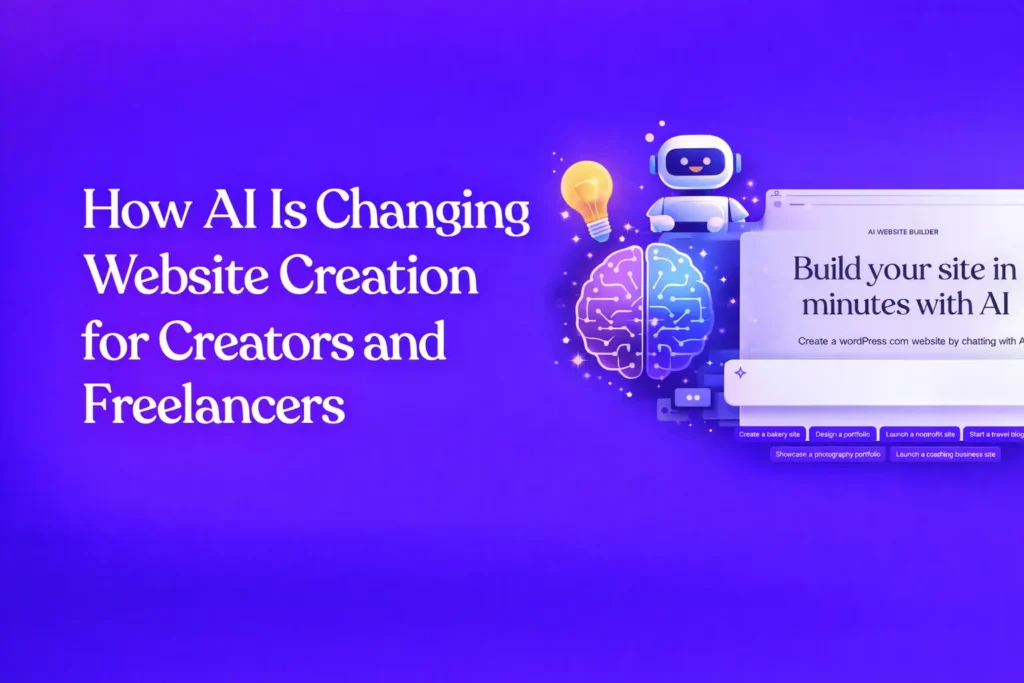
WordPress.com now has AI tools built directly into the platform. If you have a Business or Commerce plan, you can opt into the AI assistant on your existing site. And if you build a new site through wordpress.com/ai-website-builder, AI features are already enabled from the start.
The AI assistant lives inside your WordPress editor. You do not need to install anything extra, learn a new tool, or switch between platforms. It is right there where you are already working.
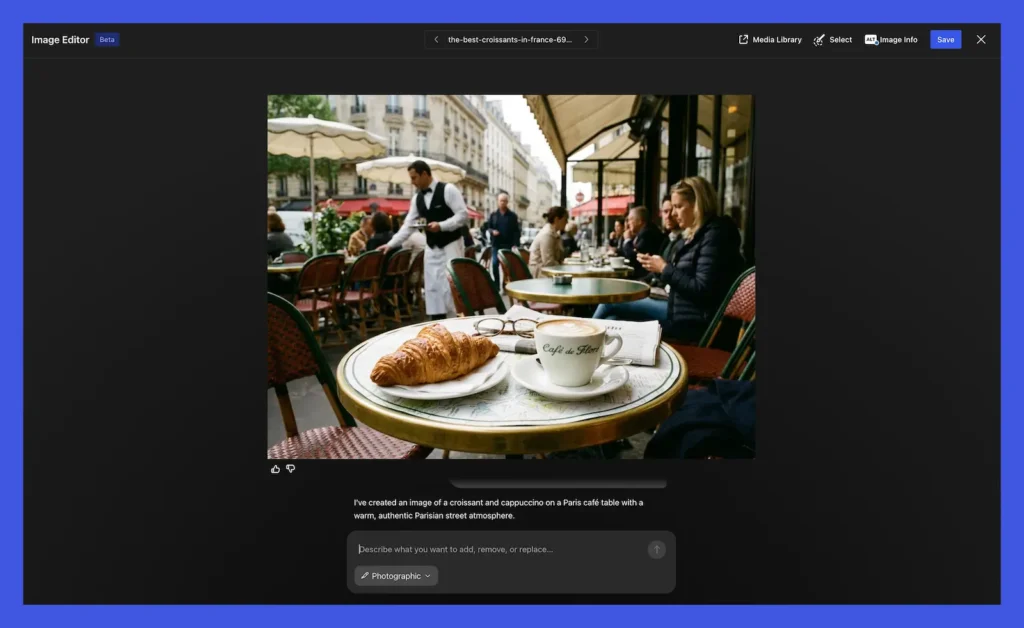
What makes it genuinely useful for maintenance is that you can describe what you want in plain language. You do not need to know code, design principles, or even have a clear picture of the final result. You tell it what you need, and it generates content, suggests layouts, and helps you refine until you are happy.
The key word there is refine. This is not a “push a button and walk away” situation. The AI works with you, not instead of you. It gives you a strong starting point, and you shape it into exactly what you want. That collaborative approach is what makes it practical for real ongoing site management.
How I Actually Use AI to Manage My Site
Here is where I want to get specific because vague promises about AI are everywhere. These are the actual ways I use the AI assistant on a regular basis.
1. Refreshing Outdated Page Content
Every few months, some of my core pages need updates. My services page, my about section, landing pages for specific offerings, they all drift out of date over time.
Instead of rewriting entire sections from scratch, I describe what has changed to the AI assistant. Something like “update this section to reflect that I now offer group coaching in addition to one-on-one sessions” and it generates updated copy that fits naturally with the rest of the page.
I review it, adjust the tone where needed, and publish. What used to take me 45 minutes per page now takes about 10.
2. Creating New Content Sections
Sometimes I need to add entirely new sections to existing pages. Maybe I want to add a testimonials block, a new FAQ section, or a “how it works” breakdown.
The AI helps me draft these sections quickly. I describe what I want, it generates the content and suggests how it could be structured, and I refine from there. The result feels like it belongs on my site because I am guiding the direction with the AI is just speeding up the execution.
3. Keeping Blog Posts Current
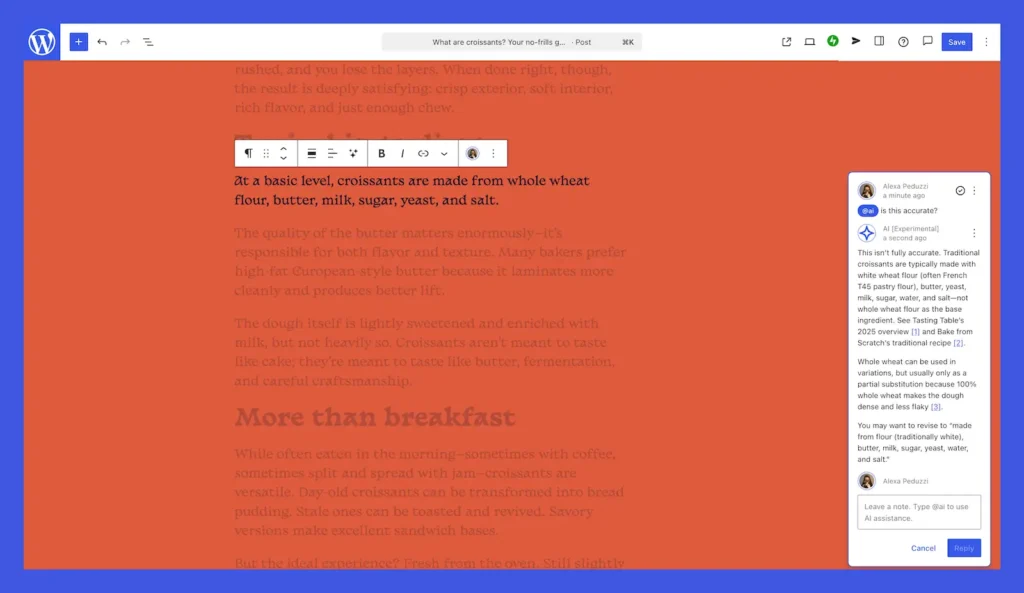
Older blog posts that still get traffic but contain outdated information are a perfect use case. Rather than sitting down to rewrite a 1,200-word article, I use the AI to help me identify what needs updating and generate fresh content for those specific sections.
This is especially valuable for posts that reference specific years, statistics, or trends that have shifted. A quick update keeps the post relevant and useful for readers without requiring a full rewrite.
4. Writing First Drafts for New Posts
When I have an idea for a new blog post, the hardest part is often getting started. The AI assistant helps me generate a first draft based on my topic and key points. I then go through it, add my personal voice, include my own examples and opinions, and shape it into something that sounds like me.
It cuts my writing time significantly, not because the AI writes the final product, but because it removes the blank-page problem entirely.
5. Quick Text and Layout Adjustments
Small tasks like rewriting a headline, tightening up a paragraph, or adjusting the structure of a page section are where AI saves me the most cumulative time. These are the tasks that individually take five minutes but collectively eat up hours every month.
Being able to describe a quick change in plain language and have it executed immediately makes these small maintenance tasks almost effortless.
What I Appreciate Most About This Approach
After several months of using AI-assisted maintenance, a few things stand out.
It is fast without feeling rushed. Updates that used to take an entire afternoon now happen in focused 20-to-30-minute sessions. I get more done in less time, but I never feel like I am cutting corners because I am still reviewing and refining everything.
It is simple without being limited. You describe what you want in everyday language. No technical jargon, no code, no design software. But the output is a real WordPress site with proper hosting, security, and updates all handled by WordPress.com. Nothing feels disposable or temporary about it.
You stay in control of everything. This is the part that matters most to me. The AI suggests and generates, but I make every final decision. I can accept what it creates, modify it, or throw it out and try a different direction. It builds with me, not instead of me. My site still sounds like me, looks like what I want, and reflects my actual perspective.
It is a real WordPress site. This is worth emphasizing. The content the AI helps me create and update lives on a full WordPress.com site that I own. It is not some lightweight page builder output that falls apart when you try to do something more advanced. It is WordPress, the same platform that powers a significant portion of the web with AI built in to make it easier to manage.
Who Benefits Most From AI-Assisted Site Management?
Based on my experience, this approach is especially valuable for:
- Small business owners who need their website updated but cannot justify hiring someone for every small change
- Bloggers and content creators who want to publish more consistently without spending all their time on formatting and editing
- Freelancers whose service offerings change regularly and need their site to reflect that
- Anyone who built a website once and has barely touched it since because the maintenance felt overwhelming
- Side project owners who have limited time and need to make the most of every session they spend on their site
You do not need to be technical. You do not need design experience. If you can describe what you want in a sentence or two, you can use this tool effectively.
Getting Started If You Already Have a WordPress.com Site
If you are already on WordPress.com with a Business or Commerce plan, you can opt into the AI assistant on your existing site. There is no migration, no rebuilding, no starting over. It integrates with what you already have.
If you are starting fresh or want to see what the AI can do from the ground up, head to wordpress.com/ai-website-builder and try building a site. The AI features are enabled automatically on sites created through that flow. You describe what kind of site you want, and it builds pages, layouts, text, and even images in real time. From there, you can refine everything and launch when you are ready.
Either way, the barrier to entry is about as low as it gets. Describe what you need, let the AI draft it, and then make it yours.
FAQs
Conclusion
Website maintenance does not have to be the thing you keep avoiding. It does not have to eat up your weekends or require hiring someone every time you need a paragraph changed.
With WordPress.com’s AI assistant, I have found a way to keep my site current, relevant, and genuinely useful to my audience without the time drain that used to come with it. The AI handles the heavy lifting. I handle the direction, the voice, and the final decisions. It is collaborative, it is fast, and it keeps me in control of my own site.
If your website has been sitting untouched because the maintenance feels like too much, this might be exactly what changes that. Give the AI builder a try at wordpress.com/ai-website-builder and see for yourself how much easier it can be to keep your site alive and growing.
Your website is your home on the internet. It deserves to be kept up and now, it does not have to be a hassle to do it.