This post contains affiliate links. If you make a purchase through these links, I may earn a commission at no extra cost to you.
Let’s be real, the WordPress.com Personal plan used to be hard to recommend. No plugins. No real customization. You got a custom domain and… that was about it. For anyone who wanted to do more than write plain blog posts, it felt like paying for a locked door.
But in 2026, WordPress.com quietly made one of the biggest changes in its history. They opened up plugin access, design tools, and genuine customization to every paid plan including the Personal plan.
So the question every budget-conscious blogger is asking right now: is the WordPress.com Personal plan finally worth it?
I’ve spent weeks testing the updated plan, poking at its new features, and comparing it against what it used to offer. Here’s my honest, no-fluff take.
What Is the WordPress.com Personal Plan?
The WordPress.com Personal plan is the most affordable paid plan on WordPress.com. It sits just above the free tier and just below the Premium, Business, and Commerce plans.
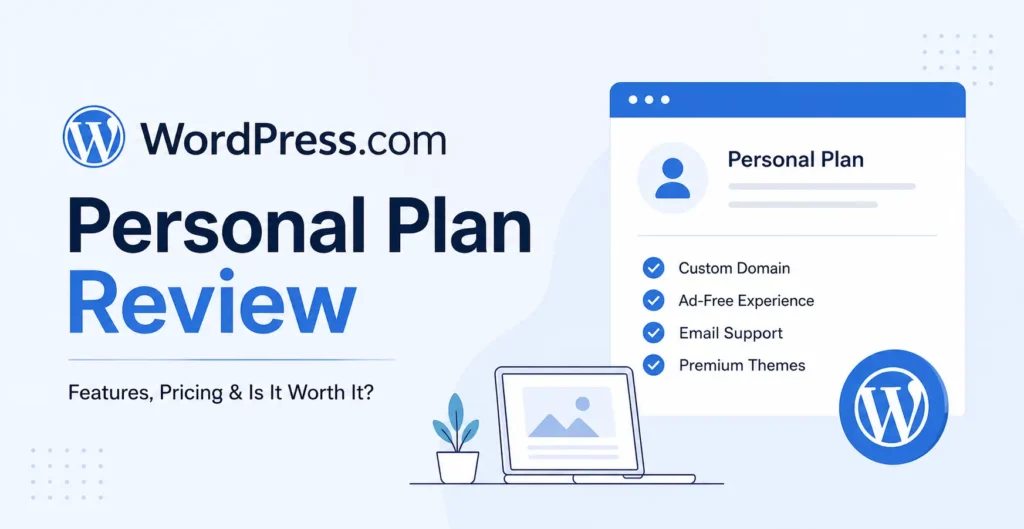
It’s designed for people who want a real website with their own domain name and no WordPress.com ads cluttering things up without paying a fortune or dealing with any technical setup.
Think of it as the “I just want a clean, professional site without the headaches” plan.
At a glance:
- Price: $4/month billed yearly ($48/year) or $9/month billed monthly
- Storage: 6 GB
- Custom domain: Free for the first year
- Ads: WordPress.com ads removed from your site
- Support: Email support included
For years, that feature list was pretty much the whole story. But 2026 changed everything.
What’s New in 2026 – The Game-Changing Updates
Here’s where things get exciting. WordPress.com rolled out a series of updates in 2026 that completely transformed what the Personal plan can do. If you looked at this plan a year or two ago and walked away unimpressed, it’s time for a second look.
Plugin Access (50,000+)
This is the headline change and it’s a big deal.
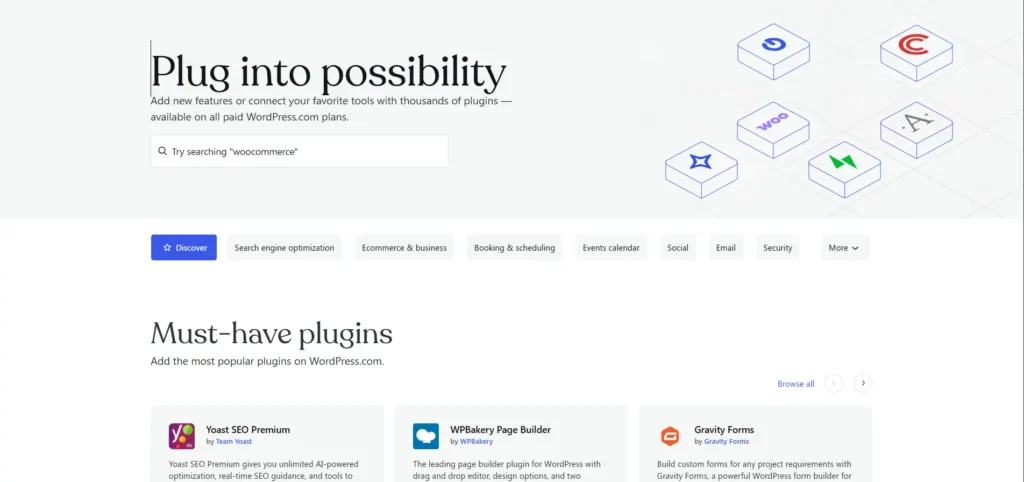
Previously, you needed at least a Business plan (starting at $33/month) to install plugins. That meant Personal plan users were locked out of contact form plugins, SEO tools, social sharing buttons, and thousands of other tools that make WordPress so powerful.
Now, Personal plan users have access to over 50,000 plugins from the WordPress.com marketplace.
Want to add a contact form? Done. Need basic SEO tools? Install them. Want a simple gallery plugin or a social media feed? Go for it.
This single change makes the Personal plan a genuinely capable website platform instead of just a blogging notepad.
Global Styles
Global Styles lets you customize fonts, colors, button styles, and spacing across your entire site from one central panel. No coding required. No hunting through individual page settings.
You pick your look once, and it applies everywhere. It’s the kind of design control that used to require a developer or a more expensive plan.
Font Uploads
Tired of the same handful of default fonts? The Personal plan now supports custom font uploads. If you have a brand font or just want something that feels more “you,” you can upload it and apply it site-wide through Global Styles.
CSS Customization
For those of you who know a bit of CSS (or want to learn), the Personal plan now includes custom CSS access. This means you can tweak the appearance of your site beyond what the built-in options offer adjusting margins, changing hover effects, styling specific elements exactly how you want them.
You’re not stuck with only what the theme gives you anymore.
Old vs. New: Personal Plan Comparison
| Feature | Personal Plan (Pre-2026) | Personal Plan (2026) |
|---|---|---|
| Custom domain | Yes (free 1st year) | Yes (free 1st year) |
| Remove WordPress.com ads | Yes | Yes |
| Plugin access | No | Yes (50,000+) |
| Global Styles | No | Yes |
| Custom font uploads | No | Yes |
| CSS customization | No | Yes |
| Storage | 6 GB | 6 GB |
| Email support | Yes | Yes |
| Theme access | Limited | Full theme library |
That table tells the story pretty clearly. The 2026 Personal plan is a completely different product wearing the same name and price tag.
Key Features of the WordPress.com Personal Plan
Let’s break down everything you get with the Personal plan right now, feature by feature.
- Custom domain (free for the first year) – Pick a professional domain name like yourname.com instead of yourname.wordpress.com. The first year is included in your plan cost. After that, renewals are at standard domain pricing.
- Plugin and theme access – Browse and install from over 50,000 plugins and the full WordPress.com theme library. This gives you the flexibility to add contact forms, SEO tools, image galleries, social feeds, and much more.
- 6 GB storage – Enough space for a blog, portfolio, or small business site with text-heavy content and a reasonable number of images. If you’re not uploading huge video files, 6 GB goes further than you might think.
- Email support – Got a problem? You can reach WordPress.com’s support team via email. They’re known for being genuinely helpful and responsive.
- WordPress.com ads removed – On the free plan, WordPress.com places its own ads on your site. The Personal plan removes those completely, so your visitors see your content, not someone else’s promotions.
- Global Styles and design tools – Customize your site’s fonts, colors, button styles, and layout spacing from one place. Upload your own fonts. Add custom CSS. Make your site look like yours without touching code (unless you want to).
- SSL certificate included – Your site gets HTTPS automatically. That’s good for security, good for your visitors’ trust, and good for SEO.
- Built-in stats and analytics – Track your visitors, page views, and traffic sources right from your WordPress.com dashboard. No extra plugin needed for basic analytics.
WordPress.com Personal Plan Pricing (2026)
Let’s talk money, because pricing matters, especially when you’re starting out.
| Billing Cycle | Monthly Cost | Total Cost | Savings |
|---|---|---|---|
| Yearly | $4/month | $48/year | Save 56% vs. monthly |
| Monthly | $9/month | $108/year | Full flexibility, no commitment |
What’s included at both billing cycles:
Both options give you the same features like custom domain, plugin access, Global Styles, CSS customization, 6 GB storage, and email support. The only difference is the price.
The yearly plan also includes a free domain for the first year, which typically saves you another $12–$18 depending on the domain extension you choose.
Is It Good Value?
Yes and here’s why.
At $4/month on the yearly plan, you’re getting a fully functional WordPress site with plugin access, a custom domain, and real design tools. A year ago, you’d have needed the Business plan at $33/month to get plugin access alone. That’s over 8x the price for what’s now included in the cheapest paid plan.
For a new blogger or small business owner watching their budget, $48/year is genuinely hard to beat. That’s less than most people spend on coffee in a month.
Even at the $9/month price, you’re still getting solid value if you prefer the flexibility of month-to-month billing.
Pros and Cons
No product is perfect, and I’m not going to pretend the Personal plan is flawless. Here’s the honest breakdown.
| Pros | Cons |
|---|---|
| Very affordable ($4/month yearly) | Limited storage (6 GB) |
| Plugin access (50,000+ plugins) | No SFTP or SSH access |
| Custom domain included (free 1st year) | Limited to the WordPress.com ecosystem |
| Easy to use and no technical setup | No advanced e-commerce features |
| Global Styles for site-wide design | Can’t install custom themes from outside WordPress.com |
| No WordPress.com ads on your site | Email support only (no live chat on this tier) |
| CSS customization | Storage may feel tight for media-heavy sites |
| Automatic updates and security |
A Note on the Cons
The 6 GB storage limit is the most common concern, and it’s a fair one. If you’re running a photography portfolio with hundreds of high-resolution images, or you want to host video directly on your site, you’ll bump into that ceiling. For text-based blogs, small portfolios, and simple business sites, though, 6 GB is plenty.
The lack of SFTP/SSH access means developers can’t dig into the file system directly. For most bloggers and small business owners, that doesn’t matter at all. But if you’re the kind of person who wants full server-level control, you’ll need to look at higher-tier plans.
And while you can now install plugins, you’re still working within the WordPress.com ecosystem. You can’t upload a custom plugin ZIP file you found somewhere on the internet. You’re choosing from WordPress.com’s curated library which, at 50,000+ options, covers the vast majority of what most people need.
Who Is the Personal Plan Best For?
The WordPress.com Personal plan hits a sweet spot for several types of people.
New Bloggers
If you’re starting your first blog and want something that looks professional without a steep learning curve, this is your plan. You get a custom domain, clean design tools, and now plugin access all without needing to understand hosting, databases, or server configuration.
Hobby Sites and Personal Portfolios
Building a personal site to showcase your writing, art, photography (within the storage limits), or resume? The Personal plan gives you everything you need to create something you’re proud to share.
Small Businesses Starting Out
If you’re a freelancer, consultant, local service provider, or small shop owner who needs a professional online presence, the Personal plan lets you get online affordably. Add a contact form plugin, set up your services page, and you’re in business literally.
Anyone Who Wants WordPress Without the Tech Headaches
WordPress.com handles the hosting, security, backups, and updates. You just focus on your content and design. If the phrase “manage your own server” makes you break out in a cold sweat, this plan is built for you.
Who Should Consider a Higher Plan?
The Personal plan isn’t for everyone, and that’s fine. Here’s when you should look at the Premium, Business, or Commerce plans instead.
You Need More Storage
If 6 GB isn’t going to cut it, maybe you’re running a photography blog, a podcast with embedded audio files, or a resource-heavy site, the Premium plan bumps you up to 13 GB, and the Business plan gives you 50 GB.
You’re Running a Serious Online Store
The Personal plan doesn’t include advanced e-commerce features. If you want to build a full WooCommerce store with product listings, payment processing, shipping calculations, and inventory management, you’ll want the Business or Commerce plan.
You can explore basic selling on lower plans, but for a proper storefront, invest in the right tools from the start.
You Need Developer-Level Access
If you want SFTP access, SSH, or the ability to upload custom plugin and theme files directly, the Business plan is your minimum. The Personal plan keeps things simple by design which is great for most people but limiting for developers.
How to Get Started with the WordPress.com Personal Plan
Getting set up is straightforward. Here’s the step-by-step.
- Go to WordPress.com and click “Get Started” or “Pricing.”
- Choose the Personal plan from the pricing page. Select yearly billing if you want the best value ($4/month).
- Pick your domain name. You can register a new domain (free for the first year) or connect one you already own.
- Create your account with your email address and a password.
- Choose a theme. Browse the theme library and pick a design that fits your site’s purpose. Don’t stress, you can change it anytime.
- Customize your site using Global Styles. Set your colors, fonts, and layout preferences.
- Install plugins you need – a contact form, SEO basics, social sharing, or whatever suits your goals.
- Start publishing. Write your first post or build out your pages. Your site is live and ready for visitors.
The whole process takes about 15–20 minutes. No server setup. No FTP clients. No command lines. Just pick, customize, and publish.
Frequently Asked Questions
Final Verdict – Is the WordPress.com Personal Plan Worth It in 2026?
Yes. Without hesitation.
The WordPress.com Personal plan in 2026 is not the same product it was even a year ago. The addition of plugin access alone would have been enough to change the recommendation. But combined with Global Styles, font uploads, and CSS customization, this plan has gone from “barely functional” to “genuinely capable.”
At $4/month on the yearly plan, it’s one of the most affordable ways to get a real, professional WordPress site with a custom domain, no ads, and the flexibility to grow.
Is it perfect? No. The 6 GB storage limit will feel tight for some. You won’t get developer tools or full e-commerce features. But for new bloggers, personal sites, portfolios, and small businesses getting started, those limitations rarely matter.
If you’ve been sitting on the fence, waiting for the right moment to start your blog or build your site, this is it. The barrier to entry has never been lower, and the value has never been higher.
Ready to get started? Head to WordPress.com, grab the Personal plan, and start building something that’s yours. Your future readers are already out there, they’re just waiting for you to hit publish