If you run a WordPress site in 2026, understanding your audience is no longer just “nice to have”, it is a competitive necessity. While Google Analytics provides the raw data, a dedicated Google Analytics WordPress plugin acts as the bridge that turns complex spreadsheets into actionable growth strategies.
In this guide, we evaluate the top WordPress analytics tools to help you track user behavior, analyze content performance, and scale your conversions directly from your dashboard.
Why You Need a Google Analytics WordPress Plugin in 2026
Setting up tracking manually involves editing header.php files or using hooks, which can be risky for non-developers. Furthermore, with the mandatory shift to Google Analytics 4 (GA4) and the global rollout of Google Consent Mode v2, managing compliance and event tracking manually is increasingly difficult.
A high-quality plugin simplifies this by:
- Eliminating Code: Authenticate your account with a few clicks.
- Dashboard Integration: View your most relevant pages without leaving WordPress.
- Advanced Event Tracking: Automatically track file downloads, affiliate links, and form conversions.
Top Google Analytics WordPress Plugins Compared
Choosing the right Google Analytics plugin for WordPress in 2026 is essential for tracking user behavior, e-commerce performance, and SEO growth directly from your dashboard.
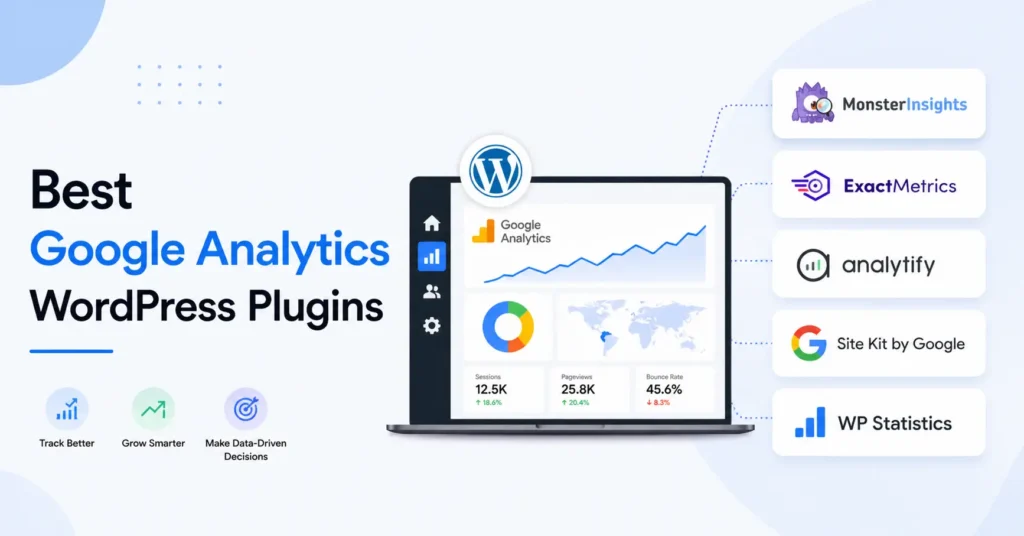
Here are the top 7 Google Analytics plugins for WordPress in 2026:
1. MonsterInsights
MonsterInsights is widely considered the best all-in-one Google Analytics plugin with over 3 million active installs.
- Best For: Individuals and businesses looking for a code-free, comprehensive dashboard inside WordPress.
- Key Features: One-click GA4 setup, real-time stats, enhanced e-commerce tracking (WooCommerce/MemberPress), and automatic link and button tracking.
- Pricing: Free version available; premium plans start at approximately $99.50/year.
2. ExactMetrics
Formerly known as GADWP, ExactMetrics is a popular, feature-rich alternative that offers deep tracking capabilities.
- Best For: Agencies and beginners who want advanced features like 404 error tracking and custom dimensions in an easy-to-use interface.
- Key Features: Automated event tracking (scroll depth, file downloads), detailed search console reports, and PPC ad tracking.
- Pricing: Free version available; premium starts at $99.50/year.
3. Analytify
Analytify stands out for its clean, visual reports and focus on post-level performance.
- Best For: Marketers and bloggers who want to see exactly how individual posts or pages are performing from the WordPress admin bar.
- Key Features: Front-end analytics display, UTM campaign tracking, and enhanced e-commerce behavior reports (products added/removed from cart).
- Pricing: Free version available; Pro plans start at roughly $59/year.
4. Site Kit by Google
As the official Google plugin, Site Kit provides a unified view of several Google services.
- Best For: Users who want a 100% free solution directly supported by Google.
- Key Features: Combines Google Analytics, Search Console, AdSense, and PageSpeed Insights into one dashboard.
- Pricing: Completely free.
5. GA Google Analytics
Created by developer Jeff Starr, this is a minimalist, lightweight plugin focusing on security and performance.
- Best For: Advanced users or developers who only need to add tracking code without dashboard bloat.
- Key Features: Fast and secure, supports multiple tracking codes (GA4 and UA), and includes GDPR-ready user opt-out options.
- Pricing: Free; Pro version costs approximately $15/year or a one-time single payment.
6. WP Statistics
This is a privacy-focused alternative that avoids third-party tracking like Google entirely by hosting data locally.
- Best For: Privacy-conscious site owners who want to “de-Google” their analytics and keep data on their own server.
- Key Features: 100% local data storage, no cookie consent required by default, and geo-location tracking without external services.
- Pricing: Free core plugin; premium add-ons for search console integration cost about $119/year.
7. Conversios
Specifically designed for WooCommerce, Conversios focuses heavily on the e-commerce sales funnel.
- Best For: Online store owners using WooCommerce who need detailed product performance data.
- Key Features: Product performance tracking, behavioral reports (purchase intent), and seamless Google Merchant Center integration.
- Pricing: Free version available; specialized e-commerce tracking plans offered.
Common Mistakes to Avoid
- Double Tracking: Do not add a tracking code manually and via a plugin. This will double your bounce rate and inflate your traffic numbers.
- Ignoring Consent Mode: In 2026, European traffic requires Consent Mode v2. Ensure your plugin integrates with a GDPR-compliant cookie plugin.
- Not Tracking Conversions: Simply tracking “hits” is a vanity metric. Use lead source tracking to see which marketing channels actually pay the bills.
Final Thoughts
Choosing the best Google Analytics WordPress plugin depends on your goals. If you want to boost website traffic through data-driven decisions, MonsterInsights is the clear winner. For developers who just want the code, GA Google Analytics is the way to go.